Sometimes an app does not fit your workflow exactly. With both dev and AI tools, customisation and extensibility is even more important. Skills, custom instructions, and MCP servers already make my coding agent setup very different from yours. The GitHub Copilot app lets me go one step further and build a canvas extension: an interactive surface where regular code, your own judgment, and an agent can work together.
I use (too) many worktrees. I keep the active ones and remove completed ones to recover disk space. The app already makes worktrees easy to manage, but I had no clear way to see which projects or workspaces used the most storage. The source files were rarely the problem. Most of the space came from installed packages, build outputs, coverage data, and other temporary files that tools can recreate.
So I built my own session storage canvas.
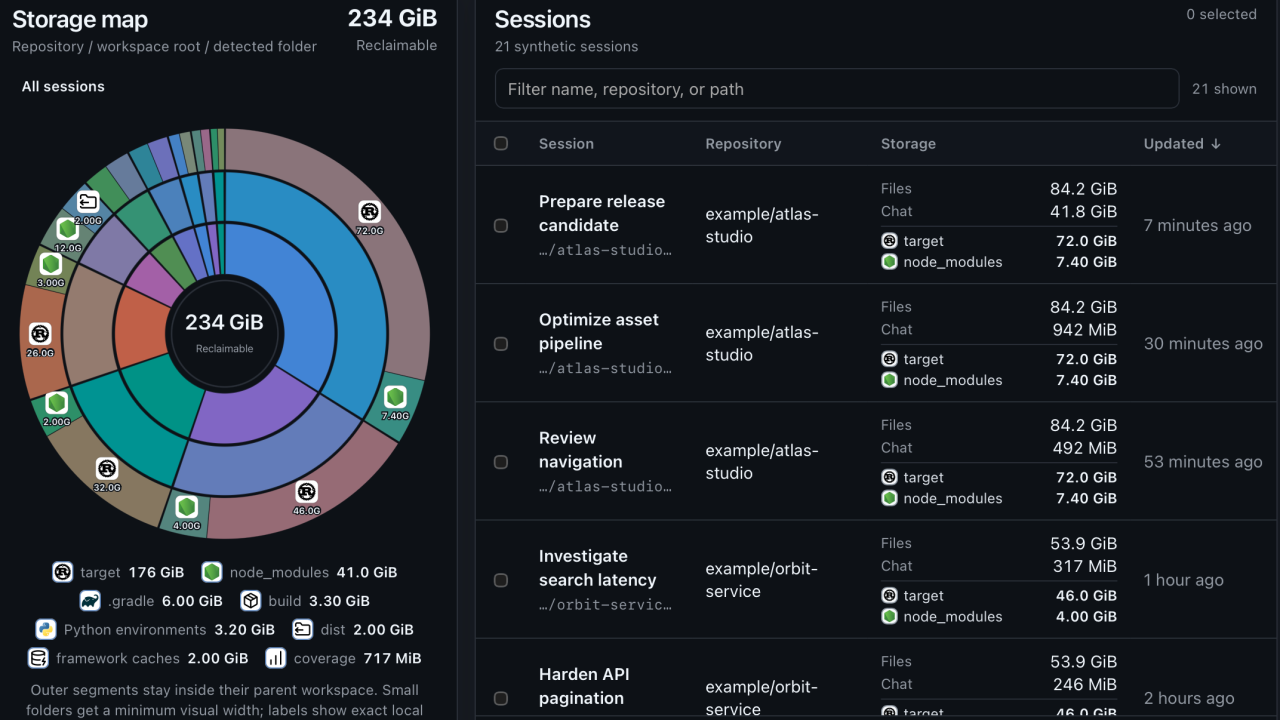
It shows my most recent local sessions. The sunburst groups reclaimable storage by project, session, and detected subdirectory. A table shows workspace files, chat data, and rebuildable directories for each session. If several sessions use the same worktree, the canvas measures that workspace only once.
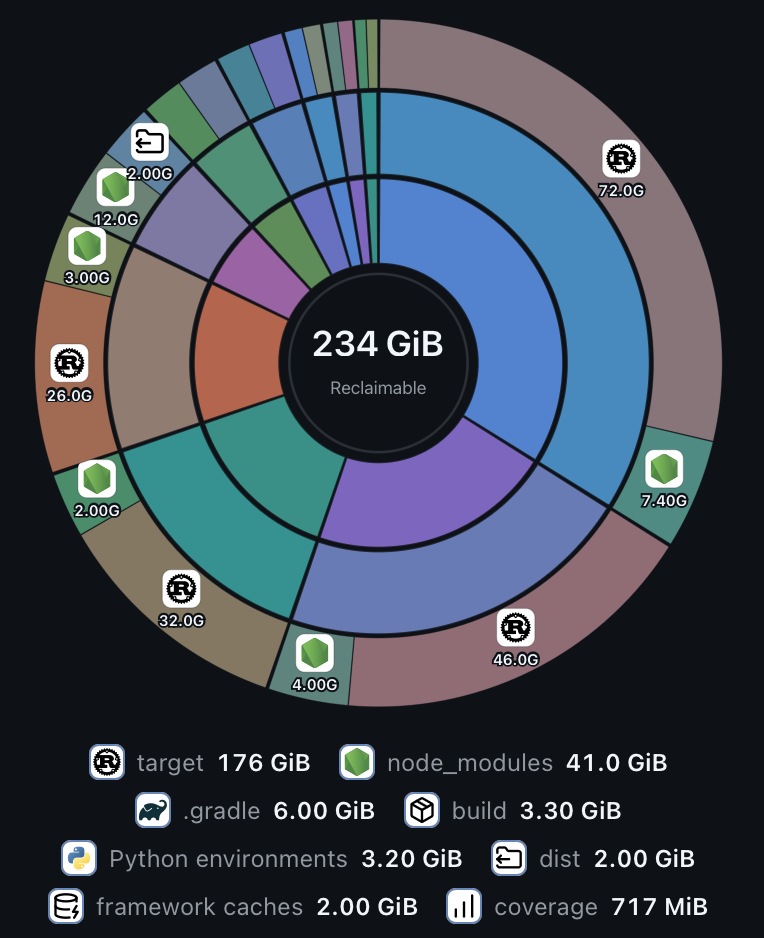
The graph is interactive, so I can move from the complete storage view into one a single project or even session. The table follows the same selection and lets me filter, sort, and choose the workspace roots that need attention. When I select a workspace for cleanup, the canvas shows the exact directories it found:
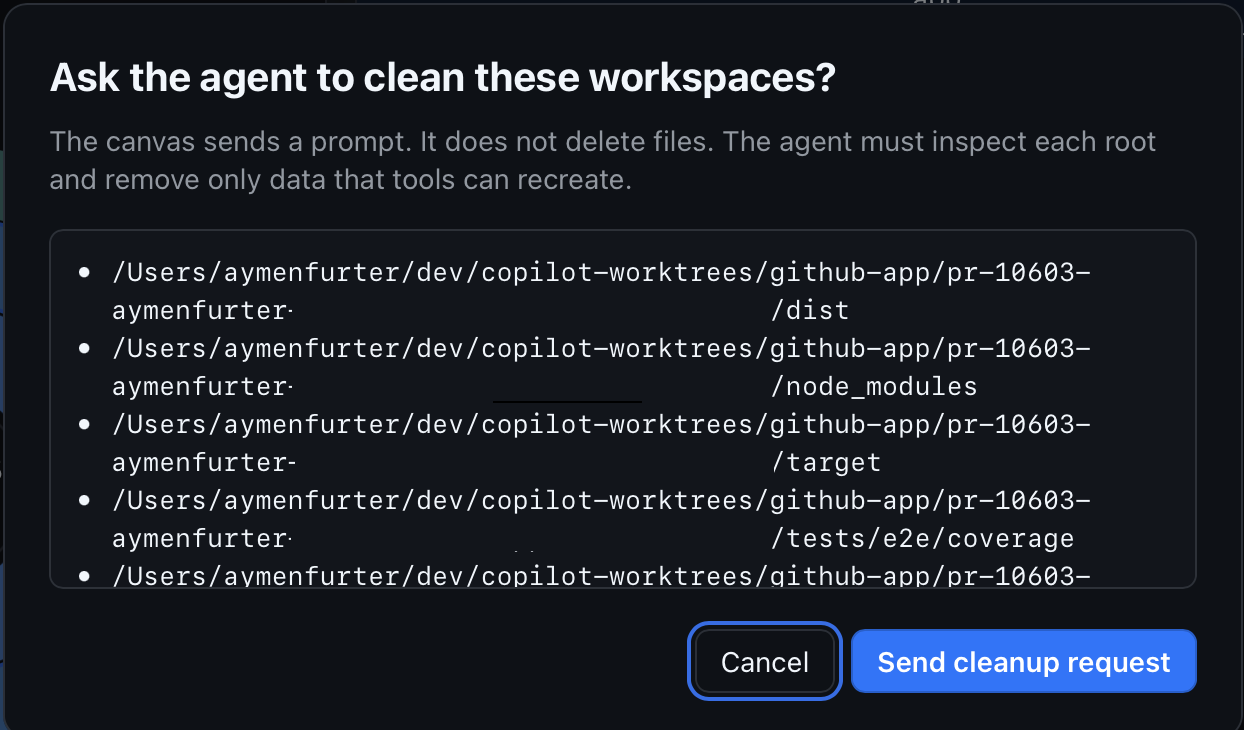
After I confirm, the canvas sends a cleanup prompt to the agent in the current session. The prompt limits the agent to the selected workspace roots and lists every candidate directory. It also tells the agent to inspect each path before deletion, preserve tracked files and uncommitted work, and report the reclaimed space.
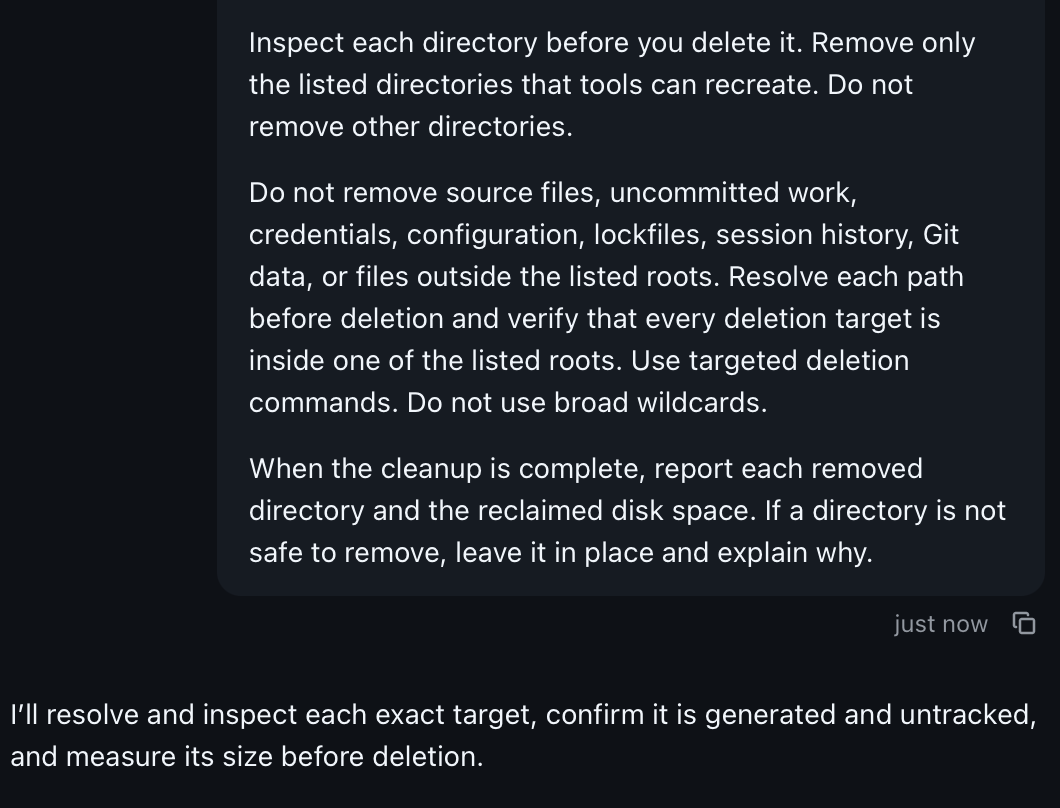
This is most useful for sessions that I want to keep but do not expect to revisit soon. I can remove installed dependencies and build output without deleting the worktree or session. When I return, I ask the agent to rebuild those rebuildable artifacts and continue where I left off.
The features built into the app will be enough for most people, but I had a specific workflow that needed more, and a canvas extension let me build it. Disk cleanup was the problem I happened to have, but the same pattern can fit many personal workflows. A canvas extension can give a repeated task a focused visual interface, use regular and fast code for deterministic work, and bring in the agent when judgment is needed.
Read the official canvas extension documentation or explore the source in the Awesome Canvas repository. If you use the Copilot app, I would love for you to try it or build something that fits the way you work.
